Screens
Holidays
The days your organization is closed, a year at a time. Everyone sees them marked on their timesheet, and for people with paid holidays they come off the day and week targets. The steps for setting up the rest of an organization are in Set up your organization.
Who sees it
Administrators only, on any paid plan: it is Holidays under Settings in the menu, at /admin/holidays. On the Free plan the menu leaves it out, and the address says You don't have access to this area, as it does to anyone who is not an administrator.
A schedule kept on a paid plan is not deleted on Free. It stays stored, but no timesheet marks or counts it until the organization is on a paid plan again.
Every organization starts with this year's and next year's US federal holidays, so the schedule only has to be changed, not built.
The year's holidays
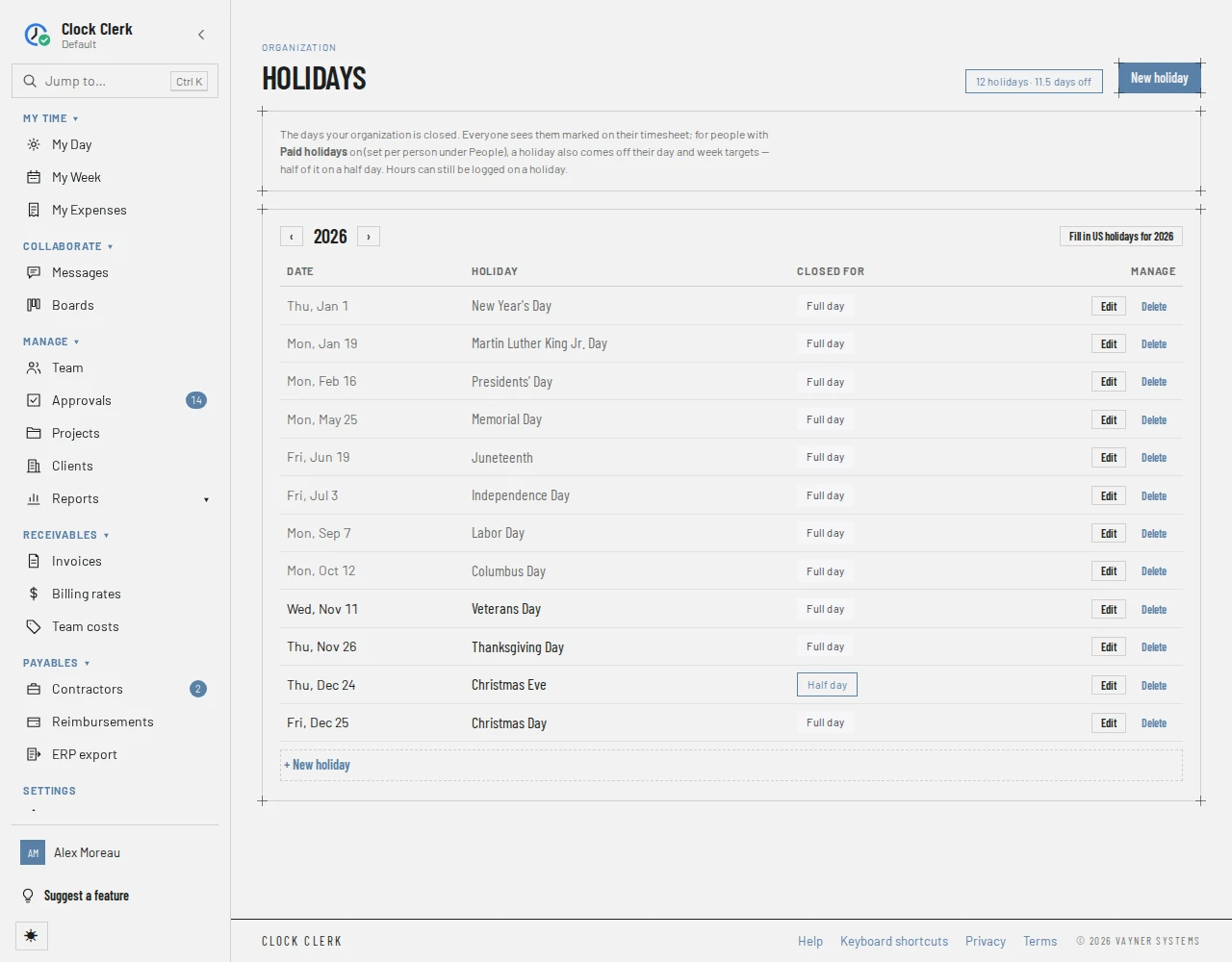
- At the top, a count of the year's holidays and days off, for example 12 holidays · 11.5 days off. A half day counts as half.
- ‹ and › step to the year before and after. The screen opens on this year.
- The table lists the year's holidays by Date, Holiday (its name) and Closed for, either Full day or Half day. Holidays already past are dimmed.
- A year with none says No holidays in … yet, so every weekday counts toward everyone's target.
Each holiday is a date, not a rule. Moving one year's observed day, making Christmas Eve a half day or closing the day after Thanksgiving changes that year and nothing else. There is one holiday a day, and one schedule for the whole organization.
Filling in US holidays
Fill in US holidays for … adds the year's 11 US federal holidays on the days they are observed: one that falls on a Saturday is observed the Friday before, one on a Sunday the Monday after. In a year with no holidays it is the screen's main button.
- It skips any date that already has a holiday, so a day you renamed or made a half day stays as you left it, and pressing it twice adds nothing. It then says how many it added, or … already has every US holiday.
- A holiday you moved to another date is the one it cannot recognize: the usual date is free again, so it adds the holiday there as well. Delete the one you do not want.
- The US calendar is the only one it fills in. For any other country, add the days with New holiday.
Adding, changing and removing a holiday
- Choose New holiday (at the top, or + New holiday under the table), or Edit on a holiday's row.
- Fill in the Date and the Name. Tick Half day — closed for part of the day for a half day.
- Choose Add holiday, or Save changes. The screen moves to the holiday's year if it is not the one on screen.
A date that already has a holiday is refused with There is already a holiday on …. Holidays can be kept for the years 2000 to 2100.
Delete asks Remove this holiday?, and Remove holiday makes the day an ordinary workday again. Hours already logged on it are not changed.
What a holiday changes
- Everyone sees it: under the date on My Week, as Holiday · … on My Day, and on the Team and Approvals screens.
- People with paid holidays have it taken off their targets: a full holiday counts like a weekend, and a half day against half their daily hours. This is the Paid holidays setting on each person's page under People. It is on for employees and turned off when someone becomes a contractor; an administrator can change it either way.
- Hours can still be logged on a holiday, and they count like any other.
- A contractor's month does not ask them to account for a full-day holiday. A half day is still a workday.
Nothing locks a holiday. Changing one changes how weeks already submitted, approved or invoiced are marked and measured, but none of their hours.
Buttons and when they appear
| Button | What it does | When you have it |
|---|---|---|
| New holiday, + New holiday | Opens New holiday, with Date, Name and the half-day box. Add holiday is disabled until there is a date and a name. | Always. While your organization is read-only, New holiday is disabled and + New holiday is hidden. |
| Fill in US holidays for … | Adds the year's US federal holidays on dates that have none. | Unless your organization is read-only. |
| Edit | Opens Edit holiday to change the date, name or half day. | On every row, unless your organization is read-only. |
| Delete | Asks Remove this holiday?, then Remove holiday takes it off the schedule. | On every row, unless your organization is read-only. |
| ‹, › | Show the year before or after. | Always. |
Each change is checked again when you press it: only an administrator, on a paid plan, can change the schedule (see Roles).