Screens
Saved reports
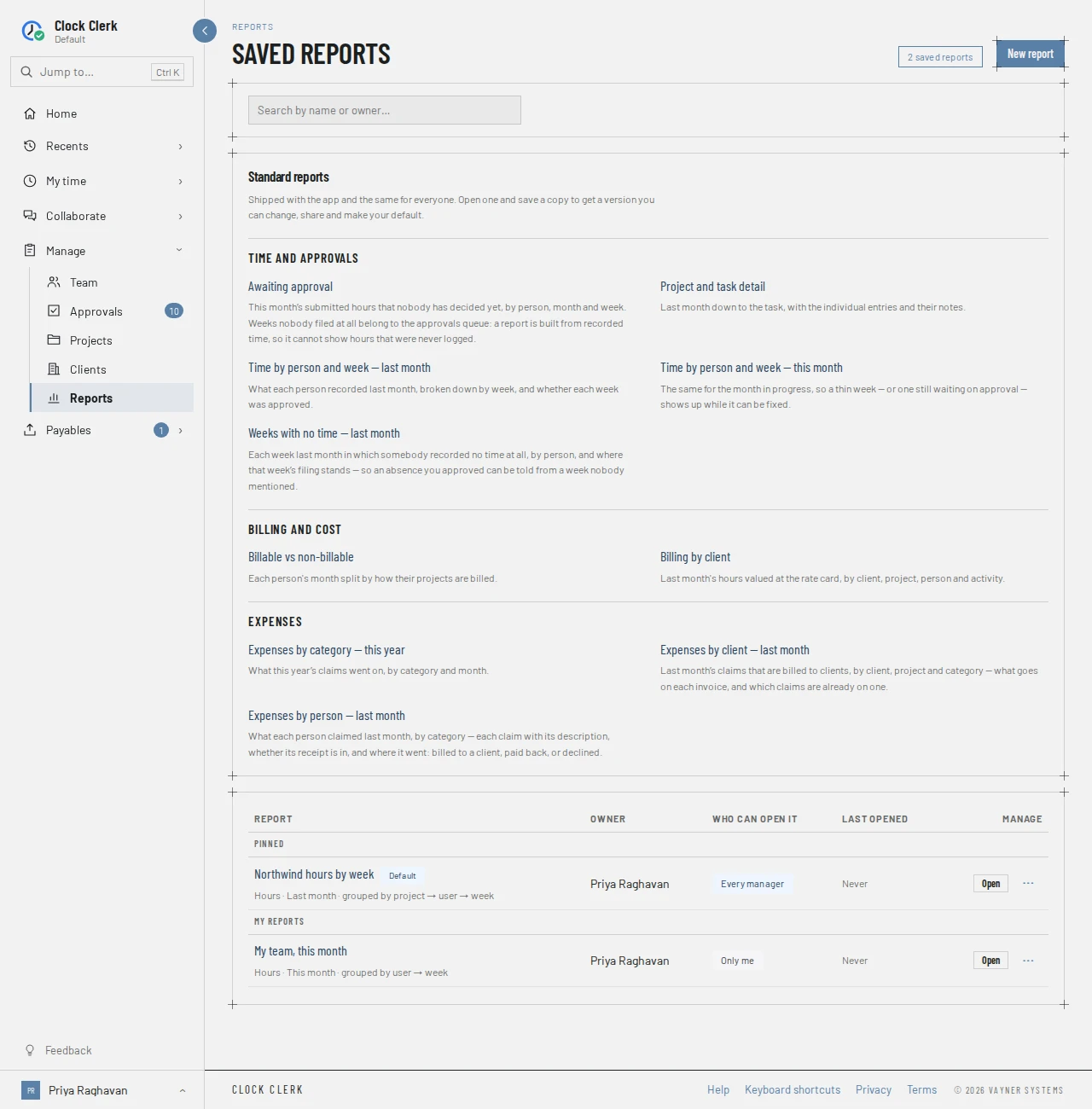
The list of reports to open: the standard reports every organization starts with, then your own saved reports and the ones other managers shared, with what each one covers and who can open it. Saving a report in the first place is covered in Build and save reports.
Who sees it
Managers, Finance users and administrators: Reports in the menu, under Manage, opens it, at /reports: it is the first thing Reports shows, and a report opens from it. So do Reports in Jump to, and Saved reports in the breadcrumb and the ⋯ menu of a report. A bookmark of this list from before it came first still opens it. Users and guests are told You don't have access to this area.
The tag beside the title counts your saved reports, and Search by name or owner… narrows both lists as you type.
Standard reports
Shipped with the app and the same for everyone, as the note under the heading says. They cannot be changed or deleted; open one and choose Save a copy… to get a version of your own. Choosing a name opens the report.
| Report | What it shows |
|---|---|
| Time and approvals | |
| Awaiting approval | This month's submitted hours nobody has decided yet, by person, month and week. When it is empty it says so and points to Approvals, which lists the weeks nobody filed. |
| Project and task detail | Last month by client, project and task, with each entry and its comment. |
| Time by person and week — last month | What each person recorded last month, week by week, and whether each week was approved. |
| Time by person and week — this month | The same for the month in progress. |
| Weeks with no time — last month | Each week last month in which somebody recorded nothing, by person, and where its filing stands. |
| Billing and cost | |
| Billable vs non-billable | Each person's month, split by how their projects are billed. |
| Billing by client | Last month's hours valued at the rate card, by client, project, person and activity. Where nothing in your organization asks for an activity, by client, project and person (see When activities are off). |
| Cost of internal work | What last month's non-billable work cost to deliver, by person and project. Only Finance and administrators have it, tagged Finance, and it needs a plan with team costs. |
| Expenses | |
| Expenses by category — this year | What this year's claims went on, by category and month. |
| Expenses by client — last month | Last month's claims billed to clients, by client, project and category, with each claim. |
| Expenses by person — last month | What each person claimed last month, by category, with each claim, whether its receipt is in, and whether it was billed, paid back or declined. |
Your reports and shared ones
The table lists your own reports under My reports, and those other people shared under Shared reports. Your default report, if you have one, is lifted out of either and listed first, under Pinned. Another person's report kept to Only me is not listed, whatever your role. The reports you opened most recently come first, then those you never opened, by name.
- Report: its name, Default on your default report, and a line saying what it counts, which dates and how it is grouped, such as Hours · Last month · grouped by project → user → week.
- Owner: who saved it.
- Who can open it: Only me, or Every manager, meaning every manager, Finance user and administrator.
- Last opened: when you last opened it, or Never.
With nothing saved yet, the table says No reports saved yet. Build one and keep it, and it will be here for you and — if you share it — for the other managers.
Buttons and when they appear
| Button | What it does | When you have it |
|---|---|---|
| New report | Opens a blank report, with its filters and fields showing: hours for this month, grouped by client, user and activity, or by client and user where activities are off. | Always. |
| A report's name, Open | Opens the report on Reports, on its results, with its filters and fields behind Edit. | On every row. |
| ⋯ → Duplicate | Saves a copy as your own, named with copy after it and shared or not as the original was. The app says Duplicated as “…”. | On every saved report. |
| ⋯ → Make default report, Clear default report | Lists the report first in the table of saved reports, under Pinned, for you alone, or puts it back in its place. | On every saved report, including shared ones. |
| ⋯ → Rename… | Changes its name and who can open it. | On your own reports; an administrator has it on shared ones too. |
| ⋯ → Delete… | Deletes it after Delete “…”?: This cannot be undone. Anyone who opens this report from their own screen — or has made it their default — will lose it. | As Rename…. |
A name has to be new among your own reports, whatever its capitals; otherwise the app says You already have a report called “…”. Duplicating, renaming, deleting and choosing a default are refused while the organization is read-only, while opening reports goes on working (see Roles).